
Troubleshooting Guide: Account Lockout & What to Do Next

If you are having trouble logging in or resetting your password, you may have hit one of our automatic security cooldowns.
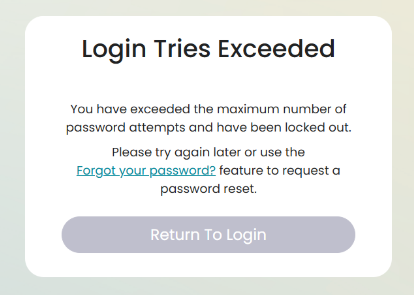
⏱️ Quick Action Guide
| Your Situation | Why It Happened | What to Do Next |
| I failed to log in 3 times | Your account is locked for security after 3 incorrect attempts. | Wait 10 minutes for the lockout to expire automatically. Do not attempt to log in during this window. |
| I requested a reset link, but didn't get a new one | You can only request one reset link every 30 minutes to prevent email spam. | Check your spam/junk folder for the original link. If missing, wait 30 minutes before requesting a new one. |
Why Do These Security Limits Exist?
- 10-Minute Account Lockout: Protects your account from unauthorised brute-force login attempts. Once the 10 minutes pass, you can try signing in again normally.
- 30-Minute Reset Limit: Ensures password reset emails aren't flagged as spam by mail providers. Only the most recent reset link generated will remain active.
Need to reset your password right now? Visit our How to Reset My Password guide.
Still stuck after waiting out the timers? Send us a message via the in-app chatbot or drop us an email via support - we're happy to help! 😊