
Can I set up Directory Sync if users were originally added via CSV?
Yes, absolutely! Even if you initially added your users using a CSV file, you can switch to an automated User Sync (Microsoft Active Directory, Okta, or Google Workspace) whenever you're ready.
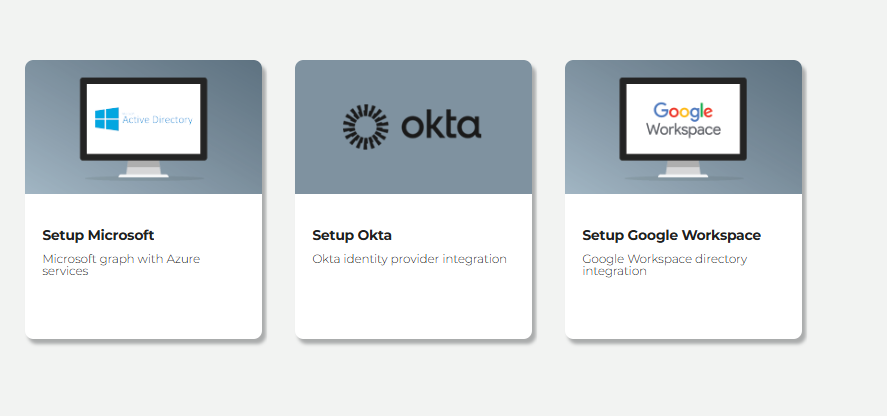
👉Setup Guides:
- How to set up Microsoft AD Integration
- How to set up Okta Integration
- How to set up Google Workspace Directory Integration
How the Platform Handles Existing CSV Users
When you set up an automated User Sync, the platform uses the email address as the primary unique identifier to match records. Here is what happens during the initial sync setup:
- Email Matching & Deduplication: The platform compares email addresses in your identity provider against those currently active on the platform.
- "Existing Learners" Status: Any user who already exists on the platform and is found in your directory will be classified as an Existing Learner.
- No Loss of Data or Duplicate Creation: Existing users remain unchanged on the platform. Their historical training progress, scores, and completed certificates remain completely intact, and duplicate accounts will not be created (provided email addresses match exactly).
Best Practices Before Syncing
To ensure a smooth transition without disrupting active learners, verify the following before running your sync:
-
Email Addresses Must Match Exactly:
Since email addresses are unique identifiers, any discrepancies (e.g., typos, domain updates, or temporary alias emails used during the initial CSV upload) will cause the system to treat them as separate accounts. A mismatched email means the old CSV profile will be flagged as a Deleted Learner and a brand-new profile will be created as a New Learner.
-
Check Your Directory Groups (If Syncing Selected Groups):
If you choose to restrict sync to a specific directory group (e.g., an Azure AD Security Group), ensure that all current CSV users who need training are added as members of that group before running the sync.
-
Verify Licence Capacity:
Ensure your account has enough available licences to cover all users present in your target sync directory or group. If the user count exceeds your available licence count, the sync will fail.
⚠️ Important: Understanding "Deleted Learners"
User sync is designed to mirror your identity provider. If a user was previously uploaded via CSV but is NOT present in the directory or security group you choose to sync, the sync process will classify them as a Deleted Learner and deactivate/remove them on the next sync.
The Preview Sync Safety Net
Before any permanent changes are made to your account, you can review the results using Preview Sync:
- Configure your sync credentials (Microsoft, Okta, or Google Workspace).
-
Click Preview Sync on the setup dashboard.
Review the breakdown showing:
- Existing Learners: Users retained seamlessly with no loss of data.
- New Learners: New accounts that will be created.
- Deleted Learners: Accounts that will be deactivated/removed.
Once you have verified that all existing CSV users are recognised and mapped correctly as Existing Learners, click Run User Sync to finalise the integration!
If you ever get stuck, we’ve got your back! Pop us a message via the in-app chatbot or drop us an email via support - we're happy to help! 😊