
What is a Training Series?
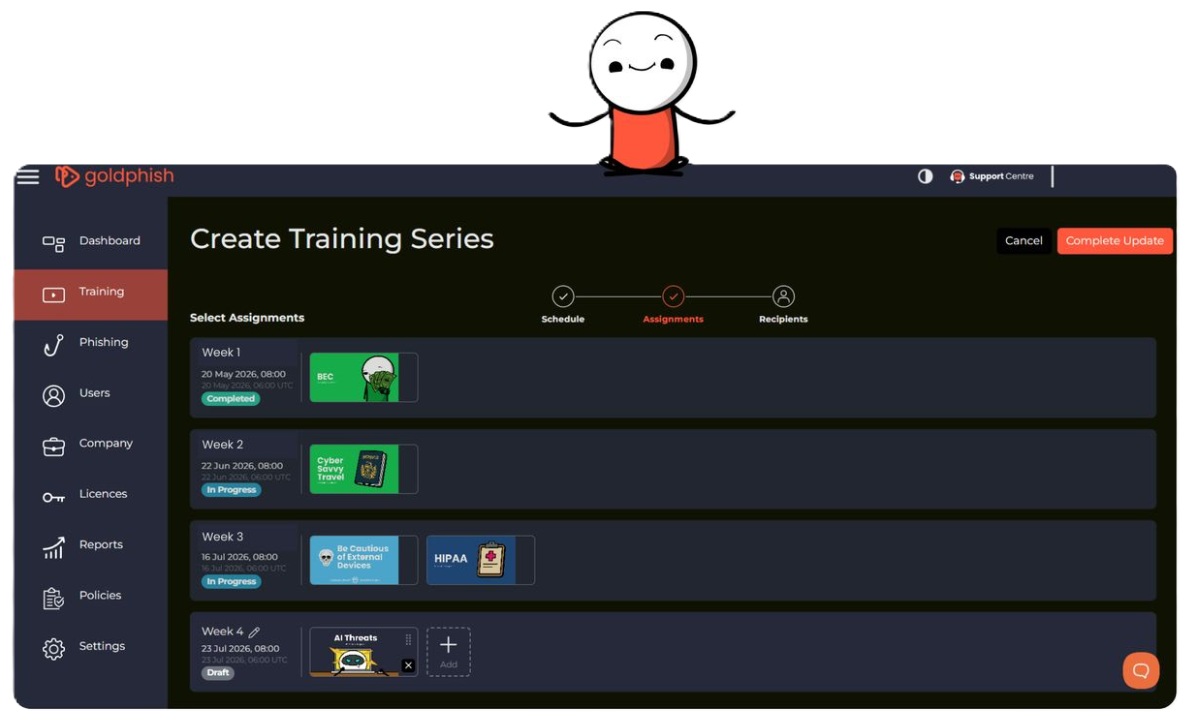
We built this feature to take the ongoing administration out of your security awareness training, allowing you to plan, deploy, and manage an entire year's worth of training in just a few minutes.
Instead of setting up individual training sessions month by month, you can now build a complete, multi-month security awareness program in a single workflow. Select your topics, pick your schedule, assign your team, and let Goldphish handle the rest automatically.🚀💫
Key Benefits
- Automated Delivery: Schedule your annual security roadmap upfront. Sessions launch automatically on your chosen dates without any manual effort required each month.
- Fully Adaptable to Change: Business needs change, and your training can too. You can edit upcoming sessions, add new starters, update schedules, or swap topics in an active series at any time, without losing progress or resetting reporting.
- Executive-Ready Reporting: Track company-wide completion rates, individual progress, and engagement trends across the entire program at any point during the year for quick compliance reviews.
How It Works
- Build Your Series: Select your training modules, set your preferred launch dates, and name your program.
- Assign Your Team: Target specific departments, new hires, or the entire organisation.
- Run on Autopilot: Content releases automatically according to your schedule.
- Adjust as Needed: Modify future sessions in seconds whenever your priorities change.
Get Started Today
Log in to your Admin Dashboard today to set up your first series.🚀
- Sign in to your Admin Dashboard.
- Navigate to Training > Sessions.
- Click the Create Session button (top right).
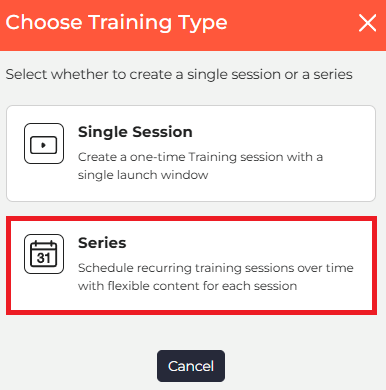
- In the Choose Training Type pop-up, select Series.

Need help? Check out our How to Create a Series guide.